
Stop Receiving Updates From A Person In Your Twitter Timeline
Stop Receiving Updates From A Person In Your Twitter Timeline Open the person's profile you want to mute or stop receiving updates. Go to the
Stop Receiving Updates From A Person In Your Twitter Timeline
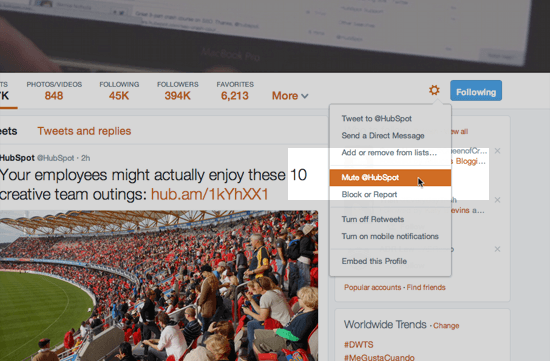
- Open the person’s profile you want to mute or stop receiving updates.
- Go to the “gear” button (as shown on the below screenshot) and select “Mute ____”. Here’s an example screenshot:

That’s it !!
Comments